 Carman
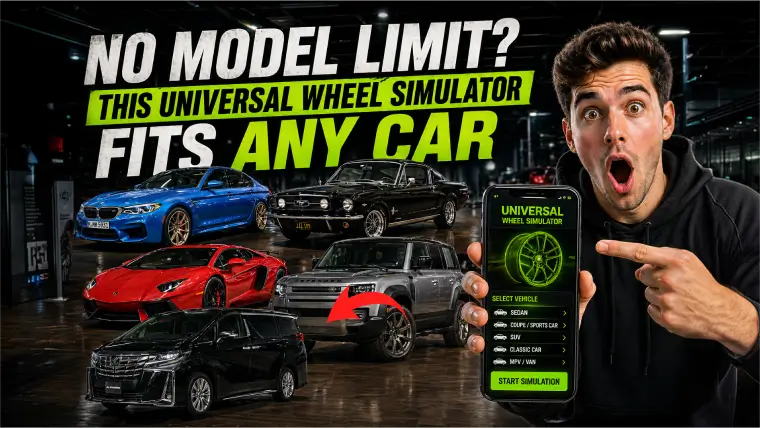
Imagine spending hours scrolling through wheel catalogs, only to find that the perfect set of rims you fell in love with “isn’t compatible with your car model.” It’s a frustrating dead-end that every car enthusiast knows too well. Most wheel preview apps and simulators come with a hidden catch: a restrictive database that limits you to pre-selected car models. But what if there was a tool that said, “No model limit”? That’s exactly what this universal wheel simulator promises—a solution that fits any car, from a classic hatchback to a modern luxury sedan.
Why Most Wheel Simulators Fail You — The Model Limit Problem
The core issue with traditional wheel visualization tools is their rigid architecture. They rely on a closed library of 3D car models. If your car isn’t in that library, you are simply out of luck. Here is why this model-limit approach is broken:
- Exclusion of Rare Models: If you drive a niche import, a classic restoration project, or a discontinued model, you are often left without support.
- Outdated Databases: Simulators are rarely updated. A car released last year might take months (or never) to appear in the app.
- Inconsistent Quality: The pre-loaded models often have poor lighting, unrealistic wheel wells, or incorrect suspension heights, ruining the preview.
- No Customization Freedom: You are forced to see wheels on a generic, stock-looking car, not your actual car with its specific ride height and body kit.
This “one-size-fits-one” mentality fails the enthusiast who wants to experiment with wheels on a unique build. The solution isn’t a bigger library—it’s a smarter simulation engine.
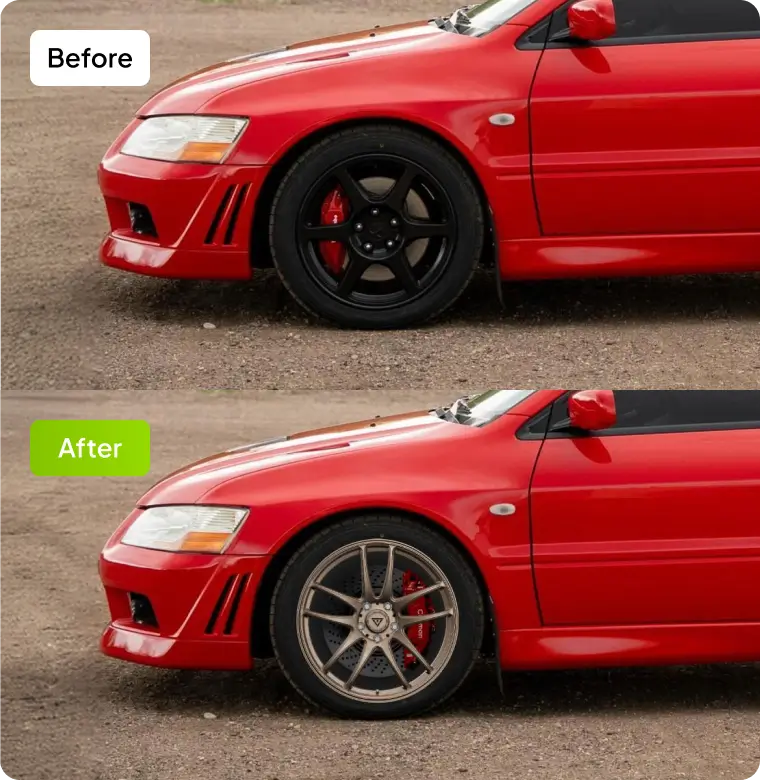
How Carman Works as a True Wheel Simulator for Any Car
The breakthrough here is a shift from “model selection” to “image-based simulation.” Instead of needing a 3D scan of your specific car, this universal simulator works directly with a photo of your vehicle. You simply upload a side-profile shot of your car, and the app does the rest.
The process is surprisingly simple:
- Upload a Photo: Take a clear side-view picture of your car (any make, model, year) and upload it.
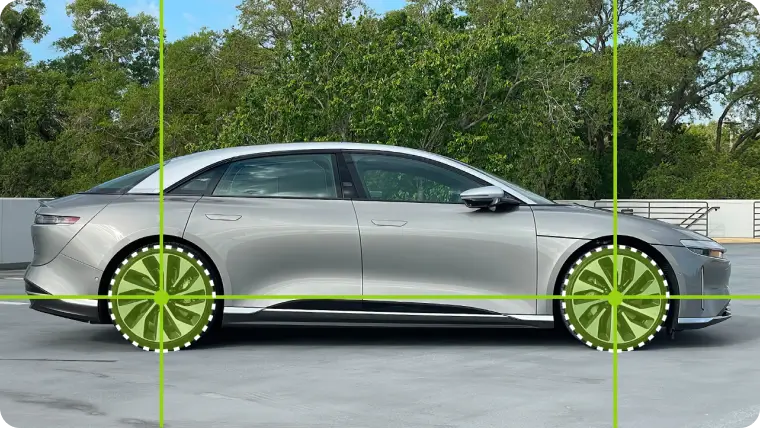
- Detect the Wheel Base: The AI analyzes the image, automatically identifying the wheel wells and the current tire profile.
- Select Your Dream Wheels: Browse a massive catalog of rims. The app renders the chosen wheel directly onto your actual car photo.
- Adjust the Fitment: Fine-tune the wheel size, offset, tire profile, and even the ride height to create the perfect stance.
> Important Tip: For the best results, take your photo in good daylight with the car on a flat surface. The AI needs a clear silhouette of the wheel well to ensure perfect alignment.
This method eliminates the model limit entirely. You are no longer asking, “Is my car in the app?” You are asking, “How will these wheels look on my car?” The result is a hyper-realistic preview that mirrors your actual vehicle, including existing modifications, paint color, and body lines.
Beyond Wheel Previews — Full Modification Visualization in One App
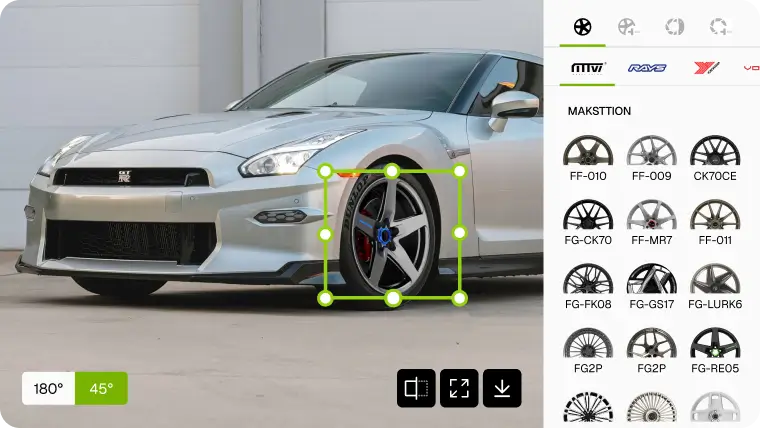
The true power of this universal simulator goes beyond just swapping rims. It acts as a complete modification visualization hub. Once your car is loaded, you are not limited to wheels. You can explore a full suite of visual upgrades.
Here is what you can do in a single workflow:
- Wheel & Tire Customization: Change rim styles, colors, and finishes (gloss black, matte bronze, chrome). Adjust tire sidewall height and even add tire stickers.
- Suspension & Stance: Lower the car virtually to see how it sits on coilovers. Preview the gap between the tire and the fender.
- Brake Upgrades: Want to see how big brake kits or colored calipers look behind those new spokes? The app can simulate that too.
- Body Kits & Accessories: Some variants of this tool allow you to add virtual front lips, side skirts, and rear diffusers to complete the look.
> Pro Tip: Use the “before/after” slider feature to instantly compare your factory setup with the modified version. This is incredibly helpful for convincing yourself (or your spouse) that the new setup is worth the investment.
This integration turns a simple wheel simulator into a virtual garage. You can plan your entire build budget—seeing how a $2,000 wheel set looks with a $500 suspension drop—all before spending a single cent.
Start Your Wheel Mod Preview Now — How To Use This Universal Tool
Ready to see your car with a new set of rollers? The barrier to entry is almost nonexistent. There is no need to find your car model in a dropdown menu or download massive 3D files.
Follow this quick start guide:
- Grab Your Phone or Camera: Snap a clear, level side profile of your car. Ensure the wheels are straight.
- Visit the App or Web Tool: Open the Carman universal simulator (or a similar app that offers this “no model limit” feature).
- Upload & Auto-Detect: Upload the photo. The AI will instantly map the wheel arches.
- Browse & Apply: Scroll through the wheel catalog. Tap on a set of rims to see them instantly mounted on your car.
- Fine-Tune Your Vision: Use the sliders for size, offset, and drop. Take a screenshot of your final design.
> Golden Rule: Always check the “estimated fitment” data provided by the app (if available). While the visual is accurate, always cross-reference the wheel width and offset with your car’s actual specifications before purchasing.

Conclusion
The era of being told “your car is not supported” is over. A universal wheel simulator that works from a simple photo is a game-changer for the automotive community. It democratizes car modification, allowing anyone with a smartphone to visualize their dream build. Whether you are planning a subtle OEM+ upgrade or an aggressive stance build, this tool removes the guesswork and the model limit frustration. Upload your car, experiment with different looks, and drive with confidence, knowing exactly how those new wheels will look before they arrive.